Navigating the digital payment landscape for your favorite mobile game can feel overwhelming. If you are looking for a reliable BGMI UC purchase guide, you have come to the right place. We are here to help you master the process so you can focus on your next victory.
Using your bank account for gaming transactions should be simple and stress-free. This article outlines the essential steps to ensure your payments process smoothly and securely. By following these instructions, you will avoid common errors that often frustrate players during checkout.
Our goal is to make your gaming experience seamless by simplifying the financial side of your account. Whether you are a veteran player or new to the scene, these tips will keep your transactions safe and efficient.
Key Takeaways
- Verify your bank supports international or online gaming transactions before starting.
- Ensure your payment details are saved correctly in your app store account.
- Always check for official store promotions to maximize your value.
- Use two-factor authentication to keep your financial data protected.
- Follow this updated process to prevent common transaction failures.
Understanding the BGMI UC Ecosystem
Understanding the currency system in BGMI is essential for every serious player looking to upgrade their inventory. Unknown Cash, or UC, serves as the primary virtual currency that powers the game’s internal economy. By learning how this system functions, you can make smarter decisions when managing your digital assets.

Why UC is Essential for Battlegrounds Mobile India
UC acts as the gateway to personalizing your gaming experience. While the base game is free, premium content is locked behind this virtual currency. Players often use UC to stand out on the battlefield and show off their unique style.
Here are the primary ways players utilize their UC balance:
- Purchasing the Royale Pass to unlock seasonal rewards and exclusive missions.
- Acquiring rare weapon skins and character outfits that enhance your visual presence.
- Participating in lucky spins and crates for a chance to win legendary items.
- Accessing limited-time events that offer unique gear not available through standard gameplay.
The Role of Official Payment Gateways
When you are ready to top up your account, choosing the right path is critical for your security. A reliable BGMI UC purchase guide emphasizes the importance of using only verified channels. By sticking to an official BGMI payment gateway, you ensure that your transaction is processed securely and directly by the developers.
Using authorized BGMI UC payment methods protects your personal bank details from potential threats. Third-party sites often promise cheaper rates, but these platforms frequently lead to account bans or financial fraud. Always prioritize safety by verifying that the payment portal is officially recognized by the game developers.
Preparing Your Debit Card for International Transactions
Ensuring your debit card is ready for online transactions is vital for uninterrupted gameplay. Many players find that their cards are restricted by default, which can lead to frustration when trying to complete secure online gaming payments. Taking a few minutes to adjust your settings now will save you time later.

Enabling Online and International Usage
Most modern banks require you to manually toggle permissions for your debit card for mobile games. You can usually find these options within your bank’s official mobile application under the “Card Management” or “Security” tabs.
Make sure to enable both “Online Transactions” and “International Usage” if your bank treats digital store purchases as foreign transactions. Without these international transaction settings active, your payment will likely be declined instantly by the bank’s automated fraud detection system.
Verifying Bank Security Protocols
Banks often employ strict security measures to protect your funds from unauthorized access. It is wise to check if your bank requires a specific notification or a “travel notice” for digital platforms.
“Security is not a product, but a process that requires constant vigilance and the right configuration of your digital tools.” — Anonymous
Setting Transaction Limits
Before you attempt to purchase a large UC bundle, review your current gaming transaction limits. Many accounts have a default daily cap that might be lower than the cost of the premium items you wish to acquire.
You can easily increase these limits in your banking app to ensure your purchase goes through without a hitch. Always remember to set them back to a lower amount after your transaction is complete to maintain high security.
Managing Two-Factor Authentication
Adding an extra layer of protection is essential for any financial activity online. Ensure that two-factor authentication (2FA) is enabled for your bank account and your Google Play or App Store profile.
This simple step ensures that even if your credentials are compromised, your funds remain safe and secure. By confirming every transaction through a push notification or a one-time code, you maintain full control over your spending.
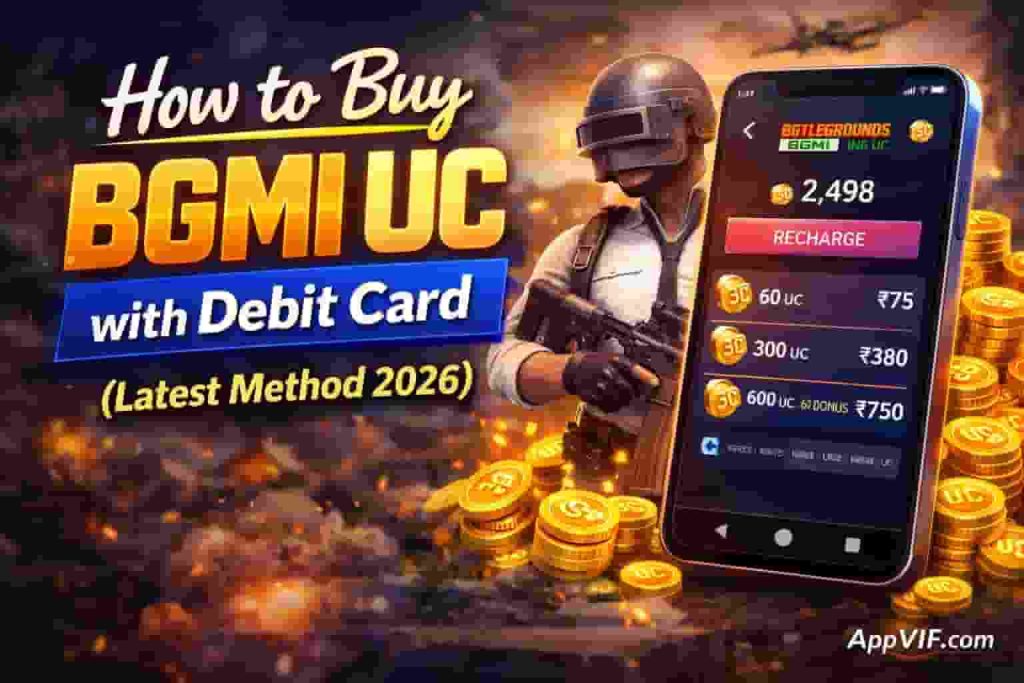
How to Buy BGMI UC with Debit Card (Latest Method 2026)
Learning how to buy BGMI UC with a debit card (latest method 2026) ensures you never miss out on exclusive seasonal gear or limited-time rewards. By following the current interface guidelines, you can complete your purchase quickly and safely. This process is designed to be user-friendly, allowing you to focus on your gameplay rather than technical hurdles.
Accessing the In-Game Shop
To begin your BGMI UC top-up 2026, launch the game and navigate to the main lobby. Locate the UC icon, which is typically found in the top right corner of your screen. Tapping this icon will instantly open the official in-game store, where all currency packages are displayed.
Selecting Your Desired UC Bundle
Once inside the shop, you will see a variety of options tailored to different budgets. Comparing BGMI UC bundle prices is the best way to buy UC in BGMI, as larger packs often provide bonus currency. Choose the bundle that fits your needs and tap on the price tag to initiate the checkout process.
Configuring Your Debit Card as a Payment Method
When the payment window appears, select the option to add a new payment method. Using a debit card for mobile games is a reliable choice for most players. Ensure your card is linked correctly to your Google Play or App Store account to facilitate a smooth transaction.
“Always verify that your bank supports international or online gaming transactions before attempting a purchase to avoid unnecessary declines.”
Entering Card Details Securely
When prompted, enter your card number, expiration date, and the CVV code found on the back of your card. Buying UC with a bank card requires caution, so ensure you are only entering these details within the official, encrypted payment gateway. Never share your card information with third-party websites or unauthorized individuals.
Confirming the Transaction via OTP
After submitting your details, your bank will likely trigger a security check. You will receive a One-Time Password (OTP) via SMS or your banking app. Enter this code into the verification field to finalize the purchase. Once confirmed, your UC will be credited to your account balance immediately, allowing you to enjoy your new items.
Alternative Methods for Purchasing UC
If you prefer to keep your bank details private, there are several excellent BGMI UC payment methods available. Exploring different avenues can provide you with more flexibility and peace of mind when buying in-game currency. These options allow you to manage your budget effectively while ensuring your financial information remains protected.
Using Google Play Store Gift Cards
Google Play Store gift cards are a fantastic way to control your spending. By purchasing these cards at local retail stores or online, you can load a specific amount onto your account without ever exposing your bank details to the game interface.
This method is highly recommended for players who want to stick to a strict gaming budget. Once the balance is added to your Google account, you can easily select it as your primary payment source during checkout.
Utilizing Third-Party Authorized Distributors
When looking for safe UC purchase methods, it is vital to stick to authorized distributors. These platforms act as intermediaries that process your payment and deliver the currency directly to your game ID.
Always verify that the website is officially recognized to avoid potential scams. Using a trusted distributor ensures that your transaction is secure and that your account remains in good standing with the game developers.
Linking Digital Wallets to Your Debit Card
A digital wallet for gaming provides an extra layer of security between your bank and the merchant. By linking your debit card to a reputable digital wallet, you create a buffer that keeps your sensitive banking information hidden during the transaction process.
This approach is often much faster than entering card details manually every time you make a purchase. It is a convenient and modern way to handle your gaming finances while maintaining high security standards.
Troubleshooting Common Payment Failures
Even the most seasoned players can hit a snag when trying to purchase in-game currency. While the process is usually seamless, technical glitches can occasionally interrupt your experience. Knowing how to fix BGMI payment failed errors will save you time and keep your focus on the battlefield.
Resolving Declined Transaction Errors
If your payment is declined, the issue often lies with your bank’s security settings rather than the game itself. Many financial institutions flag international or digital gaming transactions as suspicious to protect your account. You should verify that your card is authorized for online purchases and that you have sufficient funds available.
- Double-check your card number, expiration date, and CVV code.
- Ensure your bank has not placed a temporary hold on your card.
- Confirm that your daily transaction limit has not been exceeded.
Handling Network Timeouts During Checkout
A stable internet connection is vital when processing payments. If you experience a timeout, it is often due to a weak Wi-Fi signal or a congested mobile data network. Always ensure you are on a secure and reliable connection before initiating a transaction to avoid potential errors.
“Patience is key when dealing with digital transactions; if a screen freezes, wait a few minutes before attempting to refresh or restart the app.”
Effective troubleshooting BGMI payments often involves clearing your app cache or switching from mobile data to a stable Wi-Fi network. This simple step can resolve most synchronization issues that occur during the checkout phase.
Contacting Support for Uncredited UC
In rare cases, your bank account may be charged, but the UC does not appear in your inventory. Do not worry, as this is a known issue that official support teams can rectify. You must gather your transaction ID and a screenshot of the payment confirmation from your bank.
Visit the official support portal within the game settings to submit a ticket. Providing clear documentation will help the support team verify your purchase and credit your account quickly. Staying calm and organized is the best way to resolve these minor setbacks effectively.
Security Best Practices for Online Gaming Purchases
Protecting your hard-earned money while gaming requires a proactive approach to digital safety. When you engage in secure online gaming payments, you ensure that your financial assets remain shielded from malicious actors. Taking these small steps today can prevent significant headaches in the future.
Avoiding Phishing Sites and Scams
Phishing websites often mimic official game stores to trick players into revealing sensitive bank details. These fraudulent sites look professional, but they are designed to steal your information the moment you enter it. Always verify that you are on the official game portal before you attempt any safe UC purchase methods.
If a deal seems too good to be true, it probably is. Avoid clicking on suspicious links sent via social media or unofficial messaging apps. Sticking to verified, official channels is the best way to maintain your BGMI account security.
Protecting Your Bank Credentials
Your bank credentials are the keys to your financial life and should never be shared. Use strong, unique passwords for your gaming accounts and enable two-factor authentication whenever possible. These gaming payment security tips act as a vital layer of defense against unauthorized access.
Avoid saving your card details on public devices or shared computers. If you must store payment information, ensure the platform uses encrypted gateways. Keeping your software updated also helps protect your device from malware that could track your keystrokes.
Monitoring Your Account Activity
Regularly checking your bank statements is a simple yet effective habit for every gamer. By reviewing your transaction history, you can identify any suspicious activity immediately. If you notice an unknown charge, contact your bank right away to secure your funds.
| Security Practice | Benefit | Risk Level |
|---|---|---|
| Official Store Usage | Verified Transactions | Low |
| Two-Factor Authentication | Prevents Unauthorized Access | Very Low |
| Public Wi-Fi Payments | Data Interception | High |
| Regular Statement Review | Early Fraud Detection | Low |
Staying informed about your financial health allows you to focus on what matters most: your performance in the game. By following these guidelines, you can enjoy a worry-free experience while building your inventory. Remember that vigilance is your best tool for long-term safety.
Maximizing Value with Your UC Purchases
Savvy players know that timing their transactions is the secret to unlocking more rewards in the game. Finding the best way to buy UC in BGMI involves more than just clicking a button; it requires a bit of patience and planning. By aligning your spending with specific game cycles, you can ensure your investment goes much further.
Taking Advantage of Seasonal Discounts
Developers frequently roll out special promotions during holidays or major game updates. Keeping an eye on these BGMI UC discount offers can save you a significant amount of money over time. These limited-time events often provide extra value that is not available during standard periods.
Participating in Royale Pass Events
The Royale Pass is widely considered the most efficient way to acquire high-quality skins and emotes. When you evaluate BGMI UC bundle prices, consider how much content you receive through the pass compared to individual store purchases. Investing in the pass early in the season allows you to maximize your rewards as you progress through various tiers.
Understanding Bonus UC Offers
Many players overlook the extra currency provided during specific promotional windows. A well-timed BGMI UC top-up 2026 can often net you a percentage of bonus currency for the exact same price as a standard pack. Always check the in-game shop for these bonus opportunities before finalizing your transaction to ensure you are getting the absolute best return on your investment.
Conclusion
Buying UC with a debit card becomes a simple task when you follow the right security steps. Proper preparation of your bank account ensures that every transaction remains smooth and reliable throughout 2026.
Sticking to official payment channels protects your hard-earned money from potential threats. Vigilance remains your best tool for keeping your financial data safe while you focus on your performance in Battlegrounds Mobile India.
We hope this guide provides the clarity needed to manage your gaming finances with confidence. You now possess the knowledge to navigate the shop and secure your favorite items without stress.
Jump back into the action and make the most of your new assets. Your next victory in the battlegrounds awaits, so gear up and enjoy the enhanced experience that comes with your latest upgrades.